2.5.2 · Resource panel
- Built-in controls for seven resource types.
- One-time additions with selectable character and board tokens.
- Standalone ARMv7 APK; tested on Xiaomi Mi 9 with Android 11.

Android Mod
Version 2.5.2 Android
Explore Subway City with familiar runners, fresh challenges, and a built-in resource panel.
Gameplay gallery
Official Google Play images of the original game. They illustrate the game and do not show the custom resource panel.
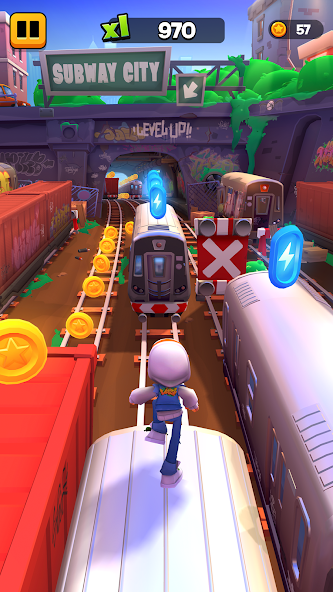
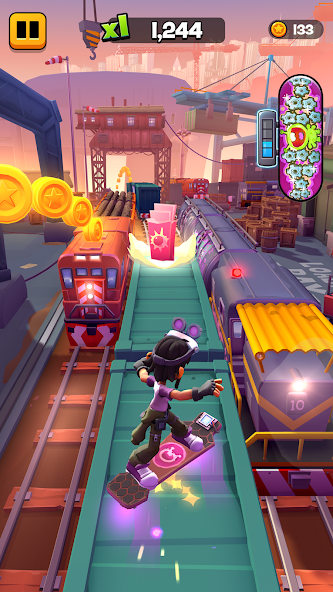
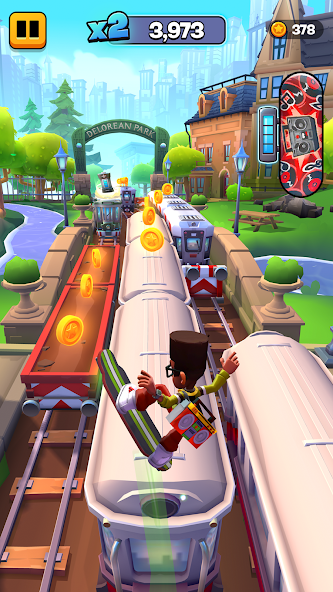
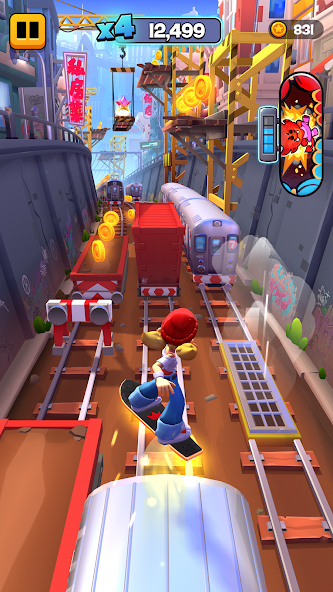
Official screenshots are sourced from the Google Play listing.
Project overview
Subway Surfers City by SYBO Games brings its running crew to new city districts. Dodge obstacles in endless runs or take on City Tour, search for Secret Stars, and combine surfers with hoverboards that have their own abilities. Missions, time-limited Trials, and new power-ups offer more ways to play. The Google Play listing also describes offline play, with some features limited without a connection.
All seven resource types were tested on a rooted Xiaomi Mi 9 running Android 11. Coins, Jake tokens, and Ash board tokens were rechecked after a cold restart. The game display may refresh only after changing screens or restarting. Tokens do not automatically unlock items. Other devices, unrooted setups, and every item purchase remain unverified. This package retains an earlier advertising patch; the resource tests do not verify every advertising reward flow.
Build details
0e7772d2d4c8d0857dff7ec853870affa7ce22b43082aa814f922b6a344dcc61A matching checksum identifies the published build. It is not a security certification.
Getting started
Use Android 10 or newer with support for 32-bit ARM apps. Devices that only run 64-bit apps cannot install this build. Back up existing progress before changing your installation.
Select Download APK, wait 10 seconds in the advertisement window, then select Download now. No ad click is required. Allow enough free space for the 210.5 MiB file and installation.
Open the APK from your browser downloads or Files app and follow Android installation prompts. No split-package installer is needed.
Launch the game and open its built-in panel. Select a resource and, for specific tokens, a character or board. Enter an amount from 1 to 1,000,000 and apply it once. Switch screens or restart if the game display has not refreshed.
This custom APK uses a different signing certificate from the official game and cannot update it in place. Back up progress before changing installations. Uninstalling the existing game may erase saved data.
Release notes
Common questions
All seven resource types were increased successfully. Coins, Jake character tokens, and Ash board tokens were also verified after a cold restart. Every character, board, purchase, and upgrade path has not been tested.
No. This release contains armeabi-v7a native libraries and needs a device that supports 32-bit ARM applications. A 64-bit processor alone does not guarantee this support.
The controls are built into the APK and do not use a separate helper app or root API. Device testing was performed on a rooted Xiaomi Mi 9; an unrooted setup has not been verified.
The panel reads the resource repository immediately, but the game display may update only after changing screens or restarting.
No. The images and adapted game overview come from the official English Google Play listing. Custom-build functionality is described separately. GMODY is not affiliated with SYBO Games.
Find every cat's territory with logic puzzles, plus hints and revives without watching videos.
Line up your next shot with extended guidelines and an in-game toggle. No root required.
Defend Linirea with a custom resource panel for gold, gems, and upgrade points.